Brand Guidelines 2026

Our Brand, Your Canvas

Every pixel of CifraHQ is intentional. This is the definitive guide to our identity — use it to communicate with precision, confidence, and consistency.

18+ Logo variants
3 Color families
EN/ES Bilingual assets
cifrahq.com
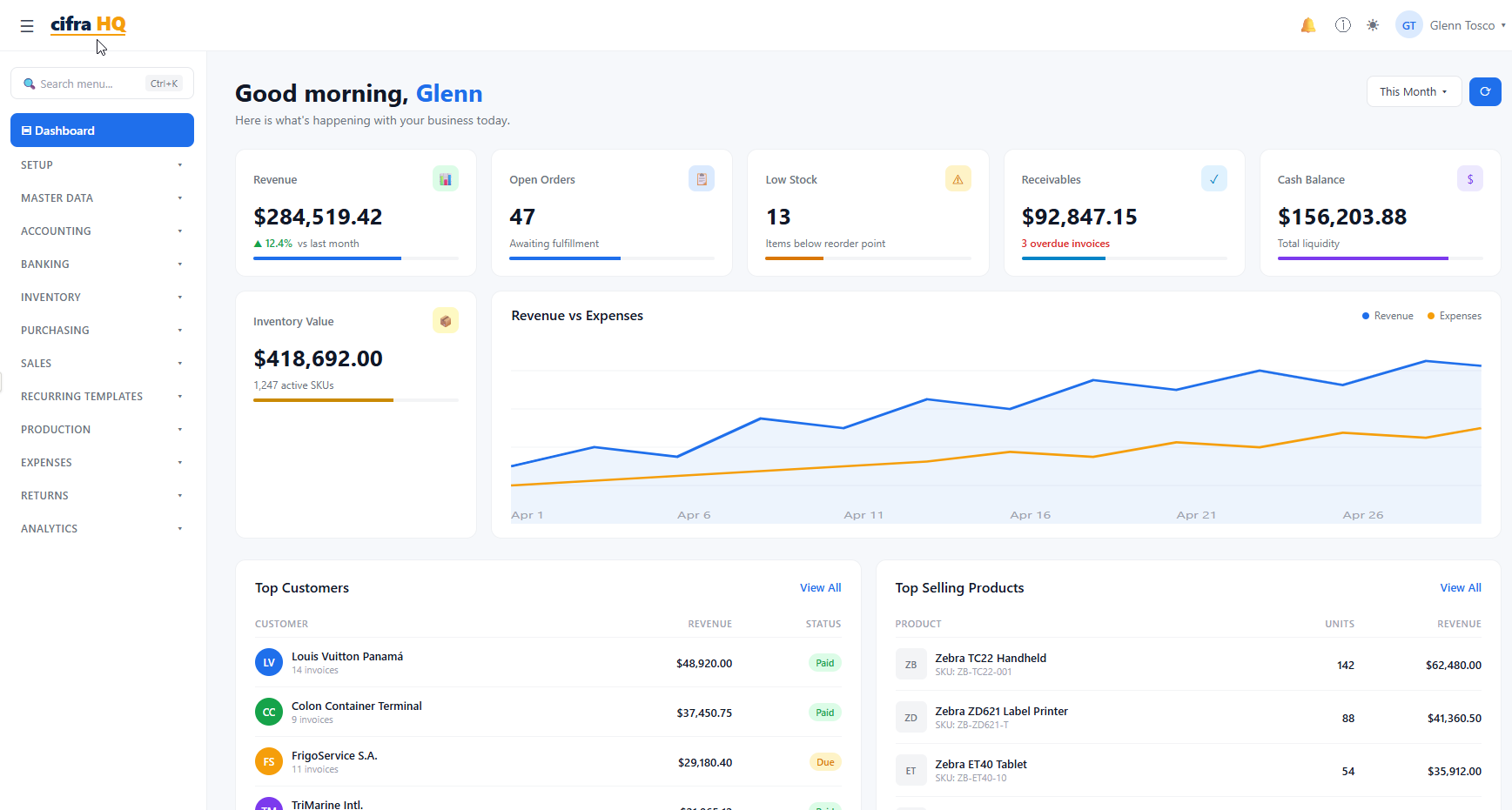
CifraHQ ERP Dashboard — Revenue, Orders, and Financial Overview
Identity System

Logo Collection

CifraHQ logos are available in SVG (vector, best quality) and PNG (raster). Choose the variant that suits your background and context.

Language
Background
Download All (SVG)
CifraHQ Transparent Logo
Full Logo — Transparent
Transparent background, any surface
CifraHQ Compact Logo Dark
Compact — Dark BG
Dark backgrounds, navy, deep colors
CifraHQ Full Logo Dark
Full Logo — Dark BG
Presentations, dark-themed materials
CifraHQ Compact Logo Transparent
Compact — Transparent
PNG with transparent background
Design System

Color Palette

Click any swatch to copy its value. Toggle between HEX, RGB, and HSL formats. Our three color families work together to create a professional, trustworthy identity.

Format
Cifra Blue — Primary
Blue-500 (Primary) #083D7F
Cifra Orange — Accent
Orange-500 (Accent) #E8963F
Cifra Grey — Neutral
Grey-500 (Neutral) #939598

Brand Gradients

Hero Gradient
linear-gradient(135deg, #083D7F 0%, #063D6E 100%)
Accent Gradient
linear-gradient(135deg, #E8963F 0%, #D88920 100%)
Brand Spectrum
linear-gradient(135deg, #083D7F, #4A9FE5, #E8963F)
Deep Navy
linear-gradient(135deg, #042D52, #083D7F, #084D8A)
Subtle Wash
linear-gradient(135deg, rgba(8,61,127,.08), rgba(232,150,63,.08))
Animated Text Gradient
linear-gradient(90deg, #083D7F, #509AE5, #FCCA7F, #E8963F)
Dark Mode Primary
#4A9FE5
Dark Mode Accent
#FCCA7F
Type System

Typography

CifraHQ uses Segoe UI as the system font with optimised fallbacks. The result is crisp, readable text on any platform.

The quick brown fox.
Click to type your own text
'Segoe UI', -apple-system, BlinkMacSystemFont, 'Inter', 'Roboto', 'Helvetica Neue', Arial, sans-serif

Weight Scale

Aa
Light
font-weight: 300
Aa
Regular
font-weight: 400
Aa
Medium
font-weight: 500
Aa
Semi-Bold
font-weight: 600
Aa
Bold
font-weight: 700
Aa
Extra-Bold
font-weight: 800

Type Scale

xs
0.75rem / 12px
Caption text, legal disclaimers
sm
0.875rem / 14px
Secondary labels, metadata
base
1rem / 16px
Body copy, default text
lg
1.125rem / 18px
Lead paragraphs, feature intros
xl
1.25rem / 20px
Subheadings, card titles
2xl
1.5rem / 24px
Section headings
3xl
1.875rem / 30px
Page headings
4xl
2.25rem / 36px
Hero titles
5xl+
3rem+ / 48px+
Display
Visual Language

Iconography

CifraHQ uses Font Awesome for all icons. We use the solid style as default. Maintain consistent sizing and always pair icons with text labels for accessibility.

Icon Sizes

Extra small 12px
Small 16px
Base 20px
Medium 24px
Large 32px
XL 48px
Feature 64px
Hero 80px

Common Icons

chart-bar
invoice
inventory
users
globe
security
cloud
industry
Layout System

Spacing & Grid

Consistent spacing creates visual rhythm. We use a 4px base unit multiplied by powers of 2. Sections breathe at 80–120px. Components use 16–32px internal padding.

1
4px
2
8px
3
12px
4
16px
5
20px
6
24px
8
32px
10
40px
12
48px
16
64px
20
80px
24
96px
30
120px
Grid System
Bootstrap 5 — 12 columns, 1.5rem gutter, max-width 1320px
Brand Standards

Do's & Don'ts

These guidelines protect the integrity of the CifraHQ brand. Consistent application builds recognition and trust.

Logo Usage

Do
Use the SVG version whenever possible for crispness at any scale
Maintain minimum clear space equal to the height of the "C" in the wordmark on all sides
Use the dark variant on any background darker than 50% luminance
Use the transparent PNG when placing on photography or textured backgrounds
Match the logo language to the document language (EN for English, ES for Spanish)
Don't
Do not stretch, skew, or distort the logo proportions
Do not recolor the logo — use only the official color variants provided
Do not add drop shadows, outlines, or visual effects to the logo
Do not place the standard (non-dark) logo on colored or dark backgrounds
Do not recreate the logo in any other typeface or hand-draw it

Color Usage

Do
Use Blue-500 (#083D7F) as the primary UI color for buttons, links, and key interactions
Use Orange-500 (#E8963F) sparingly as an accent — CTAs, highlights, warnings
Ensure a minimum 4.5:1 contrast ratio for all body text
Use Grey-50 through Grey-200 for page backgrounds and cards
Don't
Do not use orange text on white backgrounds — it fails WCAG AA contrast
Do not use both Blue and Orange as dominant colors simultaneously
Do not introduce colors outside the three official brand families
Do not use low-stop greys (Grey-50/100) for text — reserve them for backgrounds
Brand Package

Everything You Need

Download the complete CifraHQ brand package — all logos in SVG and PNG, full EN/ES bilingual set, dark and transparent variants included.

© 2026 P4 Software / CifraHQ. Assets provided for authorized use only. Contact sales@p4.software for licensing questions.